Teach Claude how you think.
Screening, diligence, memos, portfolio reporting. One tool for each job, done the way your team does it. Download any of them free, or book fifteen minutes and we install it with you, live.
Each tool is a Claude skill: a set of instructions that teaches Claude to do one job the same way every time.
You already have Claude. So why does the output depend on who ran it?
Three ways a team gets Claude doing real work, side by side.
| Feature | A library skill | Prompting from scratch | Writing your own skill |
|---|---|---|---|
| First output | Before the 15-minute call ends | After a long night of prompt fiddling | After days of drafting and testing |
| The method | A real method, tuned to your fund on the call | Reinvented in every chat | Yours, once you write it all down |
| Consistency | Same structure, every run | Varies by analyst and by day | Solid, once it stabilizes |
| Cost to start | Free, setup call included | Free, plus everyone's time | Your best analyst's week |
| Best for | Teams that want it working this week | One-off questions | Teams with time to tinker |
Your data never touches our systems in any of the three. Skills are methodology only.
Pick your seat. See your week.
Follow one deal through the fund. Every document below came out of a slash command. The first one took 90 seconds.
Book a 15-min install ↗ Browse the library →
Sample outputs with fictional companies. Your data stays with you: skills hold the method, never the deals.
Installed in minutes.
Three steps from download to first output. No code, no IT ticket.

Download the skill
Pick a skill from the library and enter your email. You get a folder with the skill file and written install instructions.

Add it to Claude
Drop the folder into Claude's skills section. On Team and Enterprise plans, an admin does this once for everyone.

Use it
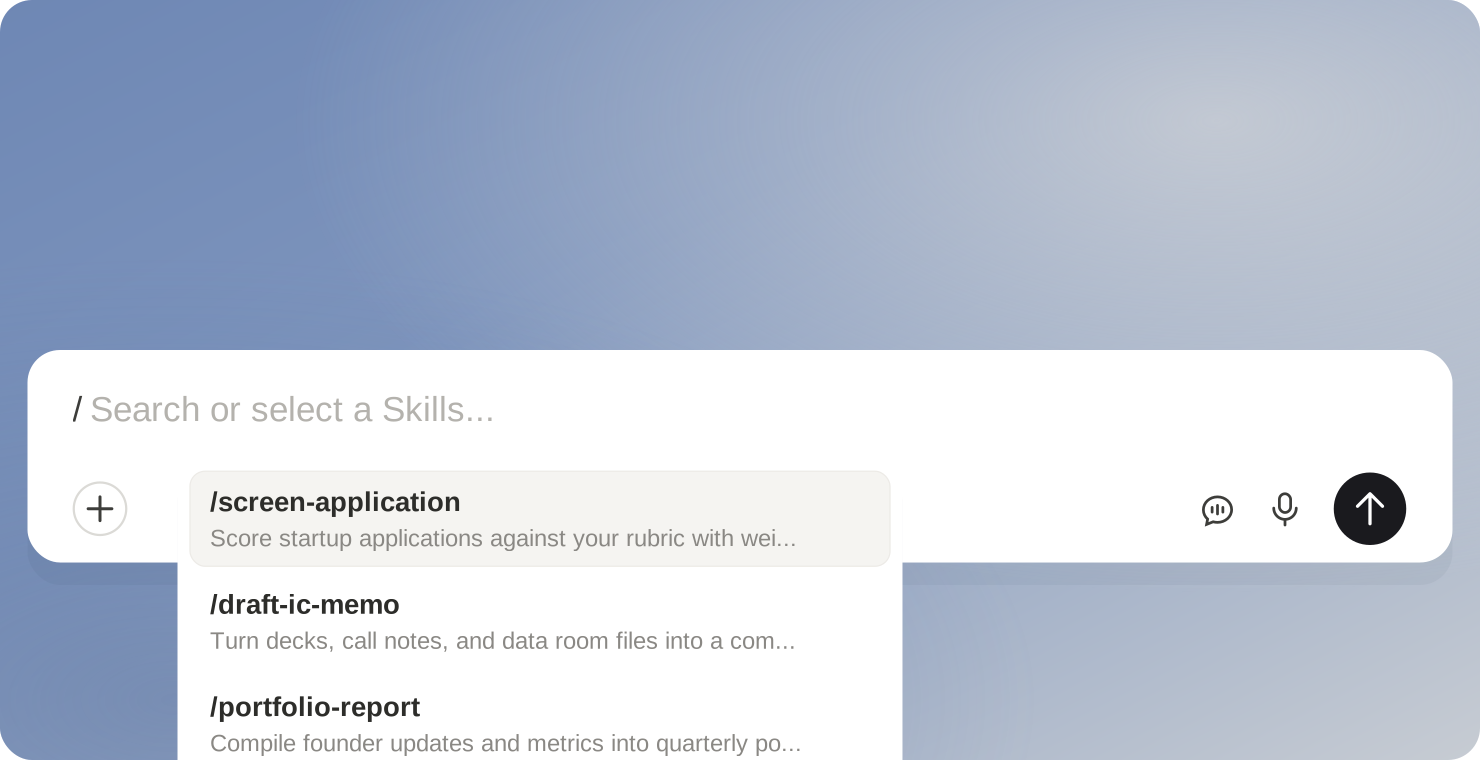
Type / to see your skills. Pick one, add your input, and the output comes back in the structure the skill defines.
What teams ask before installing
Does our deal data touch your systems?
No. A skill is a methodology file: rubrics, templates, and structure. Applications, deals, and documents stay inside your own Claude workspace. Nothing routes through us.
What exactly is a Claude skill?
A folder of written instructions that teaches Claude your method. Type the slash command, and Claude follows that method and returns output in the structure the skill defines. No API keys, no integration project.
What do we need before installing?
A Claude plan. On Team and Enterprise plans an admin adds the skill once and everyone on the team has it. On an individual plan you drop the folder into your own skills section. Either way it takes minutes.
What do the library skills cost?
Nothing. Every skill in the library is free, and so is the install call. No subscriptions, no consulting engagement, no strings: worst case, a team gets a free tool and learns what Claude skills can do.
Our process doesn't match how a skill works.
It shouldn't. Every library skill carries a sample method so you can judge the mechanics. On the call we tune the templates, the weights, and the output format to how your team works. Deeper changes become a custom build, scoped on a call.
Why is the 15-minute call free?
It's how we meet venture teams. Most calls end with a working skill and nothing else. Some funds later scope a custom build, and that starts as its own conversation.
One skill, working before the fifteen-minute call ends.
That's the whole offer. Pick a skill from the library, book the call, and we install it with you, live.
Every download comes with install instructions. One email per download.